Contact us
AwesomePost Icon

AwesomePost

Create clean, eye catching demo videos for Threads, Twitter and Instagram in seconds

Requires macOS 14.6+ • iOS is coming
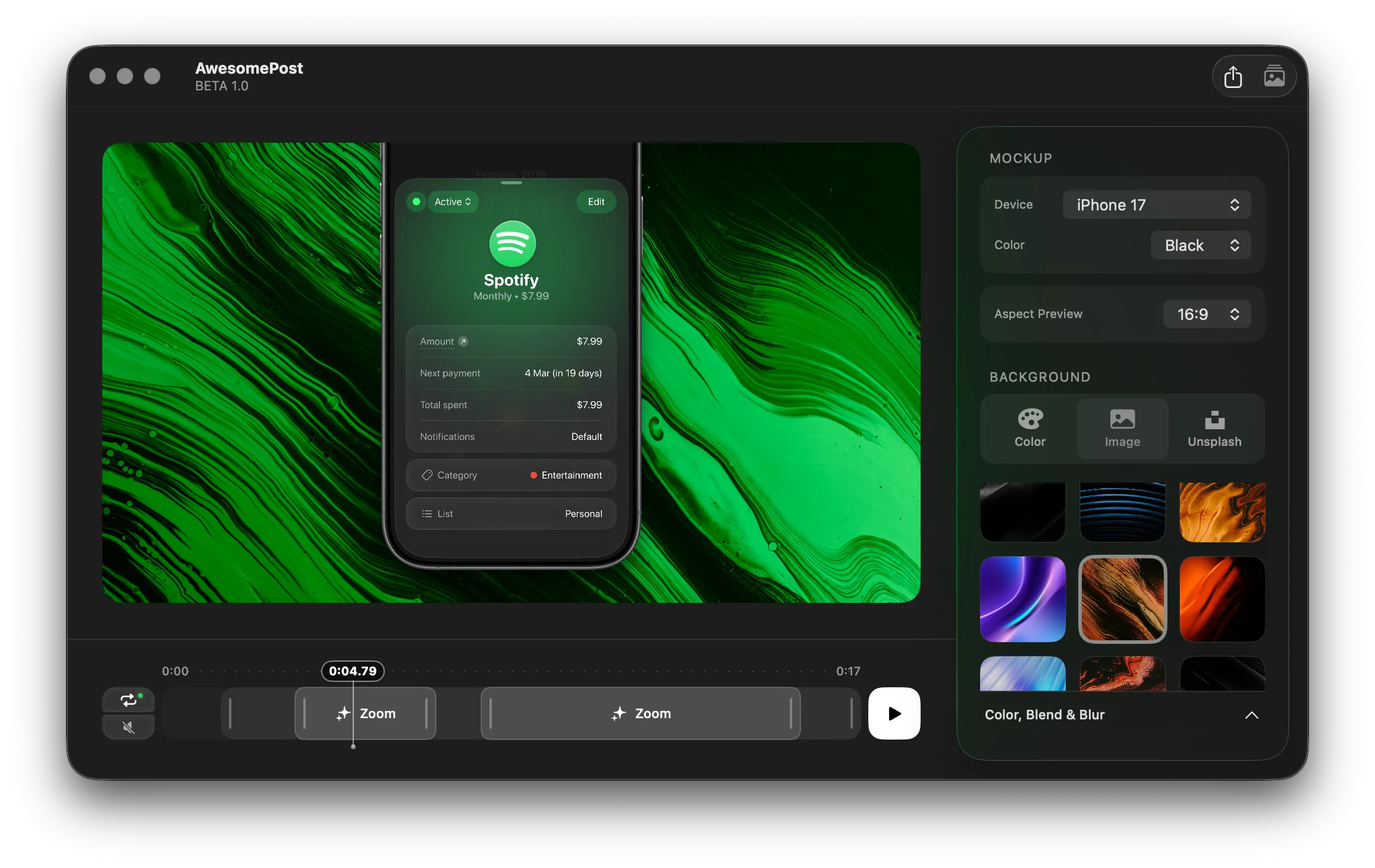
AwesomePost App Screenshot
Timer icon
00:03,00

Attention is limited.
Your product has seconds.

Most demos get ignored because they look like raw screen recordings. AwesomePost turns your app into fresh, animated videos that actually grab attention. Fresh visuals, smooth motion, and a simple interface so you can create high-quality demos fast.

Auto color selection icon

Auto color selection

Perfect colors in one click

Automatically picks a background that matches your content.

No manual tweaking, no guessing. Just drop your video and get a clean, professional look instantly.
4K / Ultra HD icon

4K / Ultra HD

Export in true 4K quality

Render crisp, pixel-perfect videos that look great on any screen.

Built for Retina displays and high-end presentations without losing detail.
60 FPS icon

60 FPS

Smooth, high-end motion

Create fluid animations that feel premium and responsive.

Perfect for product demos where every detail and transition matters.

Optimized for Web icon

Optimized for Web

Ready for social media

Export videos optimized for platforms like Twitter, Threads, and Instagram.

Smaller file size, fast loading, and no visible quality loss.

FAQ

Is AwesomePost free?
+

AwesomePost is currently in Beta and free to test for early adopters. Join our beta to get early access!

Can I work with both images and videos?
+

Yes! You can use either photos or videos to create your mockups. Simply drag and drop your preferred media type into the app, and AwesomePost will let you build polished visuals and export them as high-quality static images or dynamic video clips.

What kind of backgrounds can I use?
+

AwesomePost offers a flexible background system. You can use solid colors, gradients, custom images, or Unsplash photos. You can even let the app auto-extract color palettes from your media to perfectly match your content, and add blur or blend modes for extra depth.

Can I animate my mockups?
+

Absolutely. You can add zoom and position effects using our intuitive timeline. You can also trim clips and fine-tune transitions to create professional-looking motion graphics in seconds.

Is it possible to show multiple devices at once?
+

Yes, you can create one-, two-, or three-device compositions. This is perfect for comparison posts, highlighting multiple features, or telling before/after stories. You can quickly switch device models and colors to match your style.

Do I need an account?
+

No account is required to use the app right now. Just join the beta to receive the download link and you can start creating immediately.

AwesomePost Icon

Ready to elevate your demos?

Start creating awesome demo videos today, just like hundreds of other users, to catch attention on social networks.